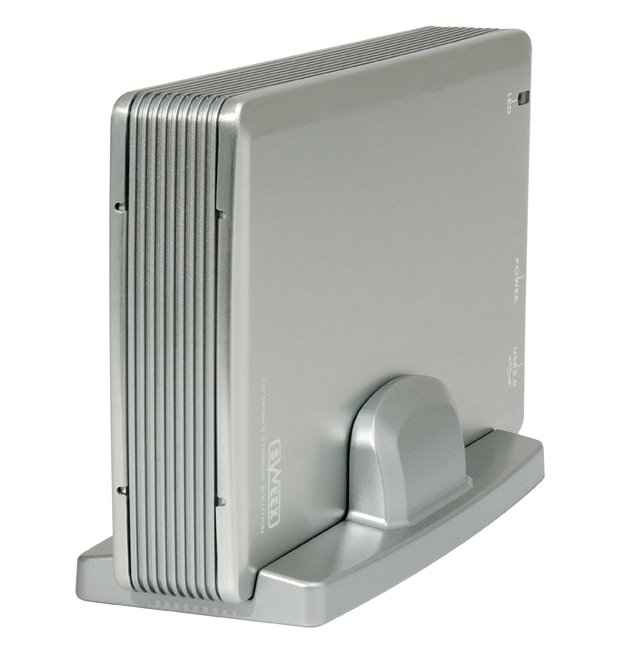
I bought a Sweex ST011 external harddisk enclosure in order to connect and reuse some old harddisk. My brother in law bought a similar device during the holiday and installed it in a breeze.
I'm just in the middle of getting this thing working. Status so far is that the device is recognised by Windows XP Pro but the disk is not visible.
It seems more people are having the same problem
http://www.hebig.com/archives/001911.shtml
One of the solutions mentioned is:
How to get XP Computer Management to let you partition the USB extertnal Drive Pictures and text from following link:http://www.ramelectronics.net/html/usb_hard-drive.html
I'm just in the middle of getting this thing working. Status so far is that the device is recognised by Windows XP Pro but the disk is not visible.
It seems more people are having the same problem
http://www.hebig.com/archives/001911.shtml
One of the solutions mentioned is:
How to get XP Computer Management to let you partition the USB extertnal Drive Pictures and text from following link:http://www.ramelectronics.net/html/usb_hard-drive.html
Words only:Installing the Hard Drive in Windows XP
Unfortunately you can't just put a drive in the case, plug it in and it will work. You will need to initialize and format the drive before it will show up in "My Computer" or Windows explorer.
Go into -> control panel-> Administrative tools-> Computer Management-> Disk Management.
Select the new hard drive which should appear like the drive pictured below
click the left pane of the hard drive, not the space section (see below)
left pane right pane (space)
right click and select "initialize disk"click "OK"
right click the right part of the display - the partition display part, and select "New Partition". This starts the New Partition Wizard. Select Primary Partition. Leave partition size alone unless you want several partitions let windows choose the drive letter or change it to what you want. If you want use NTFS or change to the file system you need. Use the default allocation unit if that fits your needs or use another if that will better fit your storage needs. If you are storing large files, larger allocation units will give better performance. Finish the wizard.
Formatting will take quite awhile for larger disks. Have coffee or any other favored beverage, or two. When finished, the drive will appear as below, "Healthy".
The drive will now show up in "My Computer" and Windows explorer, etc.
Ready for use!
I will post if this works for me.
Go into -> control panel-> Administrative tools-> Computer Management-> Disk Management.
Select the new hard drive which should appear like the drive pictured below
click the left pane of the hard drive, not the space section (see below)
left pane right pane (space)
right click and select "initialize disk"click "OK"
right click the right part of the display - the partition display part, and select "New Partition". This starts the New Partition Wizard. Select Primary Partition. Leave partition size alone unless you want several partitions let windows choose the drive letter or change it to what you want. If you want use NTFS or change to the file system you need. Use the default allocation unit if that fits your needs or use another if that will better fit your storage needs. If you are storing large files, larger allocation units will give better performance. Finish the wizard.
Formatting will take quite awhile for larger disks. Have coffee or any other favored beverage, or two. When finished, the drive will appear as below, "Healthy".
The drive will now show up in "My Computer" and Windows explorer, etc.
Ready for use!
I will post if this works for me.